
Connecting Captions
Live captions on a Mac. Each sentence appears when it is ready. Use it for a presentation, a bilingual room, or any conversation that needs a translation.
Completely on-device by default. Speech recognition and Apple Translation run on this Mac. Voice never leaves the machine unless someone turns on a cloud speech model. Theater doesn’t call home. No account. No telemetry.
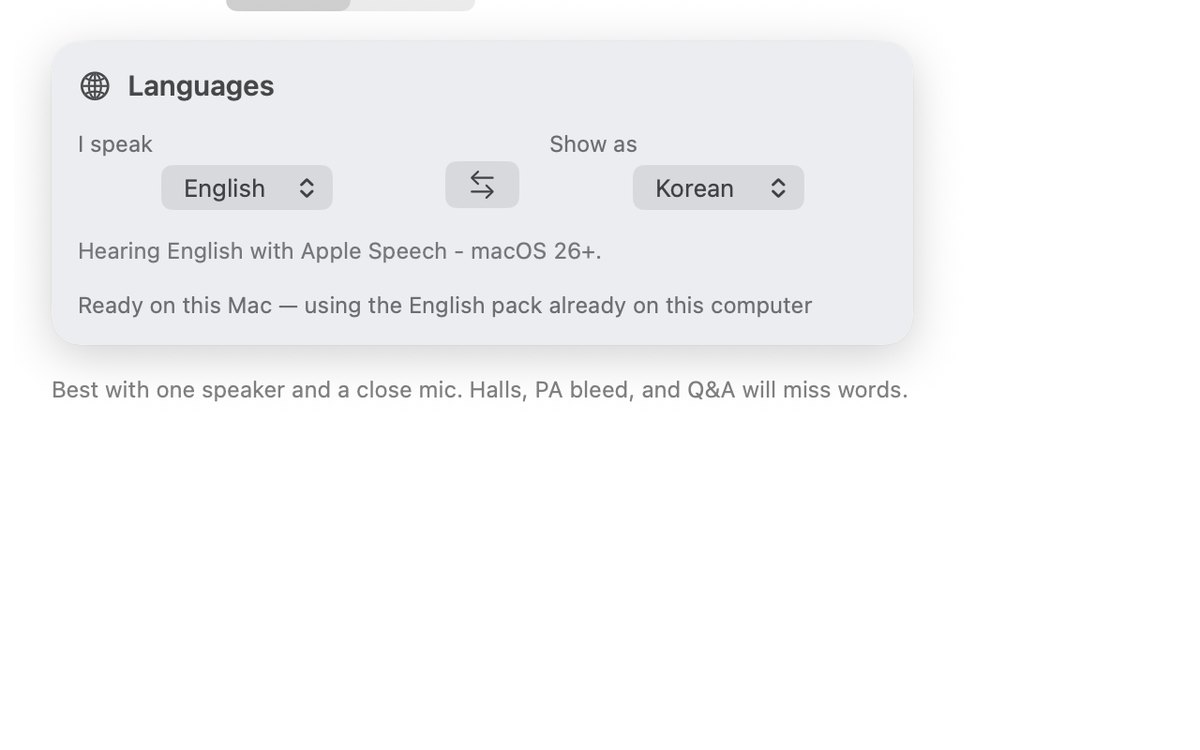
Arabic · Chinese · Danish · Dutch · English · Finnish · French · German · Hebrew · Hindi · Indonesian · Italian · Japanese · Korean · Malay · Norwegian · Polish · Portuguese · Russian · Spanish · Swedish · Thai · Turkish · Ukrainian · Vietnamese

Who it’s for
- Presentations. Theater sits over the slides. A whole-screen share includes it. Share the slides window when the room should not see the captions.
- Bilingual rooms. Speak any of the 25 languages. The other side sees a caption or a translation.
- Any conversation. Put the Mac in the room. Each sentence appears when it is ready. Voice stays on the machine.
Install
macOS 15 or later. Theater streaming needs Apple Silicon. The zip is notarized.
- Unzip Connecting-Captions.zip and drag Connecting Captions to Applications.
- Open Theater, allow the microphone, then press Listen.
Homebrew
brew tap chrisswimlee/connectingcaptions
brew trust chrisswimlee/connectingcaptions
brew install --cask connectingcaptions
What it is
- A Theater window over slides. A whole-screen Zoom or Meet share includes it. Share the slides window when viewers should not see the captions.
- On-device Apple Translation. Speech recognition comes from FluidVoice.
- Voice stays on this Mac. A cloud speech model is something you turn on.
- No account, no telemetry, no captions uploaded. Works offline once models are on disk.
What you need
- macOS 15 or later. Theater streaming needs Apple Silicon.
- Microphone for Listen. Accessibility only if you type into another app.
For work
Personal use stays free. A named license is $60 per Mac per year, five Macs minimum. IT can see the prices without emailing for a quote.
- How does this monetize? Named license $60 per Mac per year, five Macs minimum. Written SLA +$90 per Mac per year. MDM pkg $1,500 once. Transcripts, voiceprints, and training data are not part of the sale.
- Does voice leave this Mac? No, by default. Speech and translation run on the device. Voice stays on the Mac unless someone turns on a cloud speech model. Theater doesn’t send anything home. No account, no telemetry.
- Who fixes a break? Security reports get a reply within 7 days. A paid license can add a written SLA.